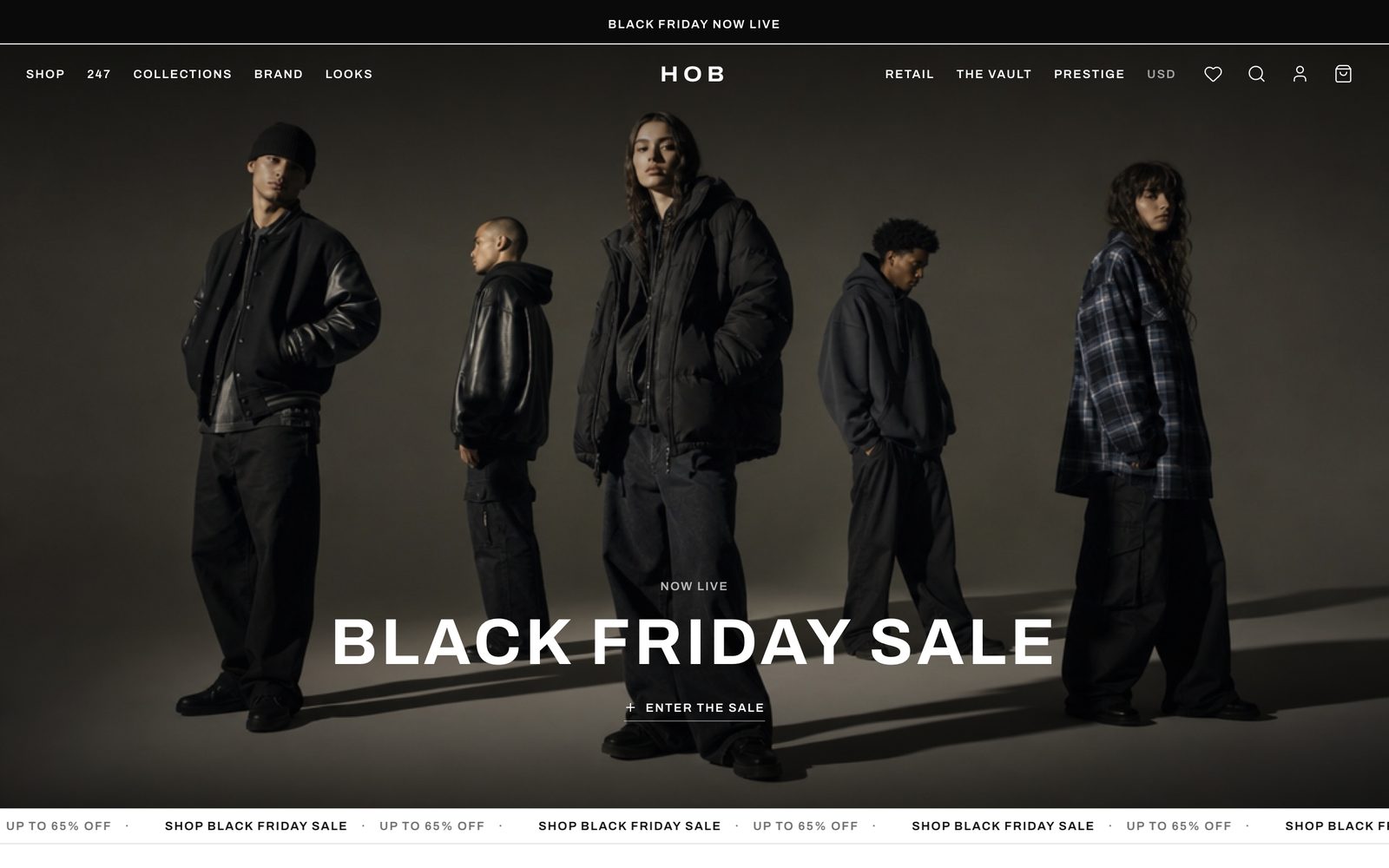
HOB Fashion Store
Dark editorial streetwear storefront — campaign hero, filterable shop, product pages, working cart and a full checkout
Vibely
Creates your own copy. Free to start.
Designed for
- Independent labels and small brands selling a tight catalogue
- Anyone who wants a storefront that looks editorial, not templated
- Testing merchandising, collections and product copy
- Developers who need cart and checkout logic already solved
Key highlights
About this template
A dark, editorial streetwear storefront with the parts that are actually hard already built: a cart that survives a refresh, filters that live in the URL, and a checkout that totals correctly.
Filter and sort state is held in the query string rather than component state. A filtered shop view is a link — it can be shared, bookmarked, and reached by the back button, which is what shoppers expect and what most storefront templates get wrong.
Cart and wishlist persist to localStorage behind a hydration guard, so the saved basket is read after mount instead of during the first render. That ordering is the difference between a cart that restores and a React hydration mismatch that throws the page away.
Best use cases
Small-batch fashion label
A catalogue of a few dozen pieces, presented with campaign imagery and room for the story behind each drop.
Single-product or capsule launch
Lookbook, product page and checkout are all present, so a one-drop launch does not need a full commerce platform.
Storefront prototype
Working cart mechanics to demo a merchandising idea before committing to Shopify or a custom backend.
Any catalogue with variants
The size and option handling generalises past clothing — anything sold in variants fits the same shape.
Getting started
Step 1: Remix this template
Click Use template. Vibely copies the full source into a new project, boots a sandbox and brings the preview up — you are looking at a running app, not a static mockup, before you have typed anything.
Step 2: Describe your first change
Tell the chat what you want in plain language. It reads the project the same way you would, edits the files and shows you the result in the preview. You can also open the code and edit it directly at any point.
Step 3: Load your catalogue
Products, collections, sizes and imagery live in src/lib/catalog.ts. Replace the seed data and every page — shop, product, lookbook, cart — follows.
Step 4: Set the brand
Colours and type are design tokens in src/styles.css. Change them once and the whole storefront moves, including the dark surfaces.
Step 5: Connect a backend
Ask the chat to add Supabase and the catalogue moves from a module to a table, with the cart still reading through the same interface.
Step 6: Take real payments
The checkout collects and totals an order. Connect Stripe to turn that into a payment — the totals it hands over are already correct.
Publish when it looks right
Publish gives the project a live URL. Connect a custom domain in project settings, or export the whole codebase to GitHub and deploy it yourself — nothing here is locked in.
Conclusion
Storefronts are mostly state management wearing nice photography. The state is done here — cart, wishlist, filters, totals — which leaves the catalogue and the brand, the parts only you can supply.
Features & capabilities
Cart that survives a refresh
Contents persist to localStorage and rehydrate after mount, behind a guard that stops the seed state overwriting a real basket.
Wishlist
Save items without buying them. Persisted with the same discipline as the cart.
Filters in the URL
Category, size and sort live in the query string, so a filtered view is shareable and the back button behaves.
Shop grid
A responsive product grid with hover states and per-item availability.
Product detail pages
A dynamic route per product with gallery, size selection and add-to-cart.
Working checkout
Address and payment details validate as they are entered, with a live order summary beside them.
Live totals
Subtotal, shipping and tax recompute as the basket changes, in whole cents.
Campaign lookbook
An editorial page for campaign imagery, separate from the shop grid.
Account area
Order history and saved details, ready to be wired to real authentication.