Creative Studio Portfolio
Dark editorial portfolio — hover-reveal work index, parallax hero, case studies and a briefing form
Vibely
Creates your own copy. Free to start.
Designed for
- Studios and agencies whose site is the portfolio
- Photographers, directors and designers presenting selected work
- Freelancers who need a site that reads as expensive
- Anyone who wants motion done tastefully rather than everywhere
Key highlights
About this template
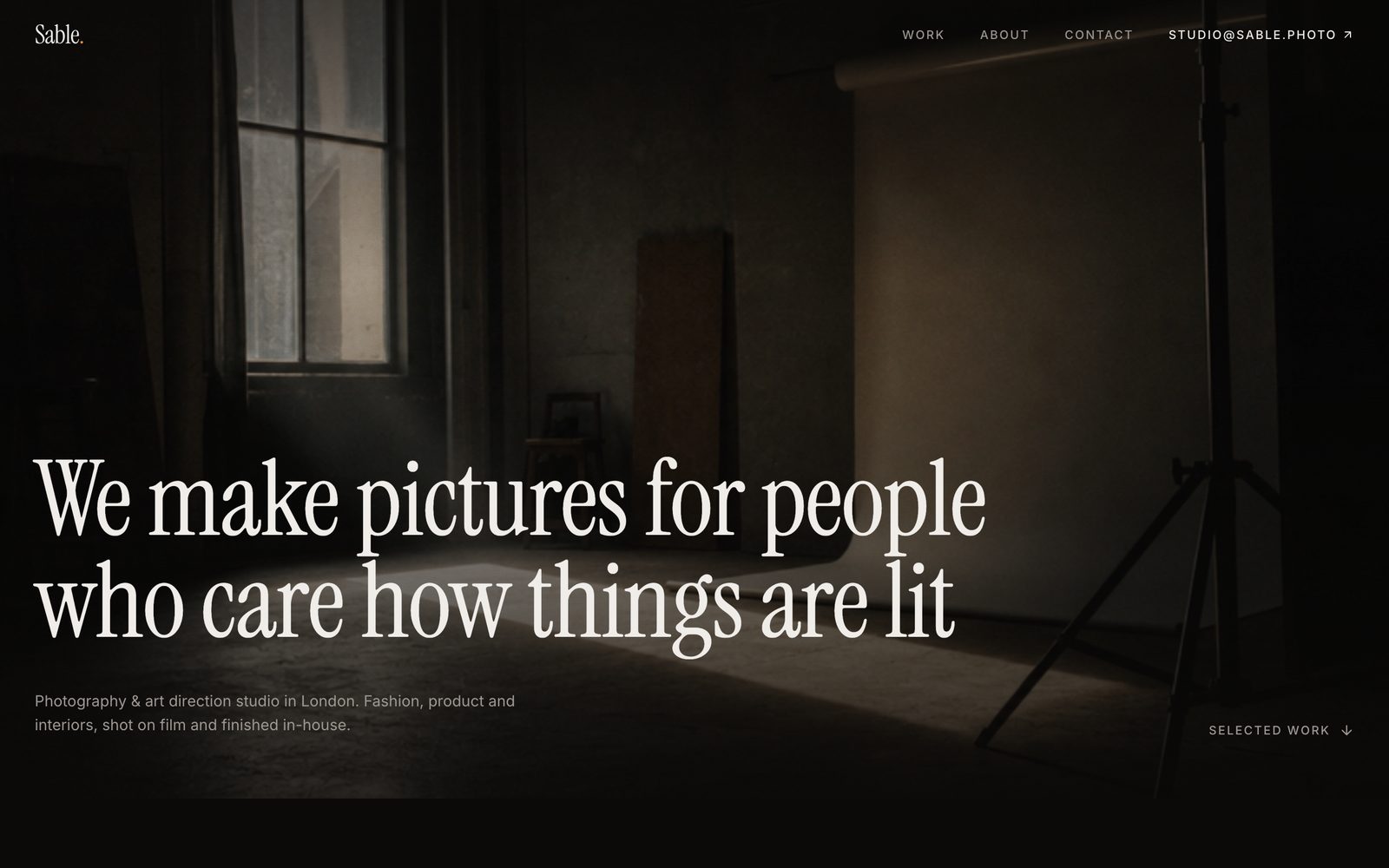
A dark editorial portfolio for a studio that wants the work to carry the page. The index is a list of project titles; the imagery appears as you move through them, following the cursor.
Motion is the whole argument for a site like this, and it is the easiest thing to get wrong. The parallax and reveal effects here are tied to scroll position rather than to timers, so they track the page instead of drifting out of sync with it, and they stand down for anyone who has asked for reduced motion.
Case studies are a dynamic route with room for a real narrative — brief, approach, outcome, and full-bleed imagery — rather than a lightbox with a caption.
Best use cases
Studio or agency site
Selected work, an about page with the people, and a briefing form that starts real conversations.
Photography or film portfolio
Full-bleed imagery and restrained type, with per-project pages for series that deserve one.
Freelance portfolio
A small number of projects presented seriously, which reads better than a large number presented as a grid.
Case study library
The work index and detail route generalise to any set of long-form project write-ups.
Getting started
Step 1: Remix this template
Click Use template. Vibely copies the full source into a new project, boots a sandbox and brings the preview up — you are looking at a running app, not a static mockup, before you have typed anything.
Step 2: Describe your first change
Tell the chat what you want in plain language. It reads the project the same way you would, edits the files and shows you the result in the preview. You can also open the code and edit it directly at any point.
Step 3: Add your work
Projects, imagery and case study copy live in src/lib/studio.ts. The index, the detail pages and the hover previews all read from it.
Step 4: Set the type and palette
The dark editorial look is design tokens in src/styles.css. Change the type scale and surfaces there rather than per component.
Step 5: Check the motion
View the preview at phone width and with reduced motion on. The effects are meant to degrade gracefully — confirm they do with your imagery in place.
Step 6: Route the briefing form
The contact form validates already. Point it at your inbox, a CRM or a Supabase table and it starts delivering enquiries.
Publish when it looks right
Publish gives the project a live URL. Connect a custom domain in project settings, or export the whole codebase to GitHub and deploy it yourself — nothing here is locked in.
Conclusion
A portfolio has one job, and busy layouts get in its way. This one is deliberately quiet — restrained type, generous space, motion only where it earns attention — so the work is the thing that is looked at.
Features & capabilities
Hover-reveal work index
Project imagery appears as you move across the list and follows the cursor, so the index stays typographic.
Scroll parallax
Layers move at different rates against scroll position rather than on a timer, so they never drift out of sync.
Scroll reveal
Sections resolve as they enter the viewport, once each, without re-triggering on the way back up.
Case study pages
A dynamic route per project with room for brief, approach and outcome, not just a caption.
Full-bleed imagery
Layouts that let a photograph run edge to edge instead of boxing it into a grid cell.
Briefing form
A contact form that asks the questions worth asking, validated field by field.
Reduced-motion aware
Every effect stands down for visitors who have asked their system to reduce motion.
Editorial type scale
A large, confident type scale set in tokens, so the whole site changes voice from one file.