
An AI game maker for games you play in the browser
Describe the game. Vibely writes the game loop, controls and scoring, lets you play it in a live preview, and publishes it to a link anyone can open.
Free plan, no credit card needed.
Vibely works as an AI game maker for browser games: describe the game, and it writes the game loop, controls and scoring in React and TypeScript on an HTML canvas, runs it in a live preview, and publishes it to a link anyone can play on a phone or a laptop. Start from a complete arcade game, free.
Start from
- A prompt
- A template
- A sketch
Start from a game that already plays well
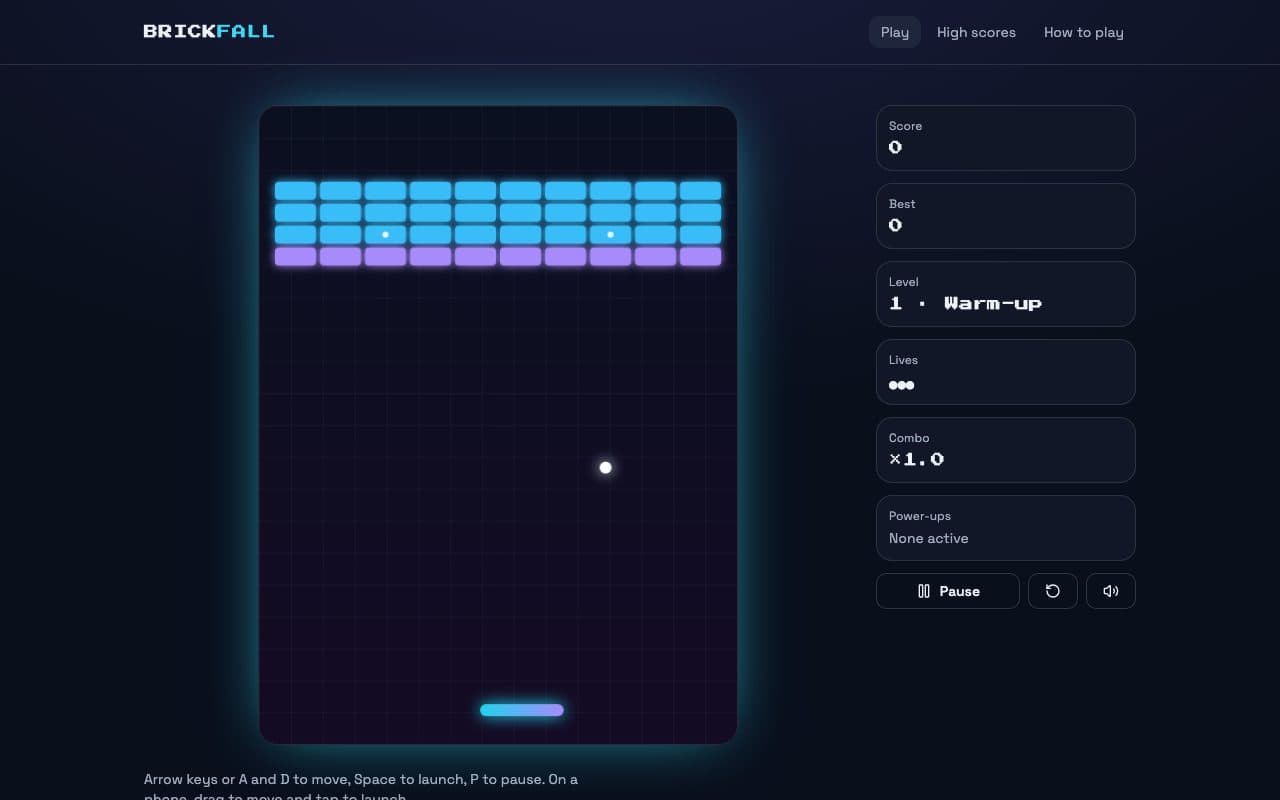
Brickfall is a complete brick-breaker in the template gallery. Play it now, then remix it into your own game.
Six levels in plain text
Each level is a few rows of characters: hits to break, steel that never breaks, bricks that always drop a power-up. Add a row and it is in the game.Four power-ups and combos
Wide paddle, multi-ball, slow ball and an extra life, plus a combo multiplier up to ×3 for breaking bricks without touching the paddle.Feels right on any screen
A fixed 120-step-a-second engine with sub-stepped collisions, so the ball never cheats through a brick, on a canvas that stays sharp on any display.Keyboard, mouse and touch
Arrow keys, the mouse or a finger, synthesised sound effects, reduced-motion support and a saved top-ten table with arcade initials.
How to make a game with AI
Four steps, from an idea to a link your friends can play.
01
Describe the game
Say what the player does, how they win and lose, and how it should feel. Or remix Brickfall and change it.02
Play it in the preview
The game runs in the live preview as soon as it builds, so you test it the way a player will.03
Tune it in plain words
“Make the ball faster on level three”, “add a power-up that fires lasers”, “give it a pause menu”. The agent changes the code and you play again.04
Publish and share
One click puts the game on a vibelyagent.com link anyone can open. Publishing and hosting use no credits.
Games you can ask for
Anything that runs well in a browser tab. Some starting points:
Arcade and action
Brick-breakers, endless runners, shooters and snake-style games on an HTML canvas, with a game loop and collisions.The brick-breaker templatePuzzle and word games
Daily word puzzles, sliding tiles, match-three and memory games, where the state is a grid and the rules are the fun part.Quizzes and trivia
Timed questions, scoring and a results screen, with a shared leaderboard once you connect a database.Database and authBranded games
Pro planA game in your colours for a launch, an event or a waiting room, on your own domain with Pro.Publishing and domains
Free to start
A credit is Vibely’s unit of AI work. Each message is charged exactly for the model work it actually took — a small edit costs a fraction of a credit, a large build more — and publishing, hosting, previews and mobile builds use none.
Free
$0, no credit card. Build games, make unlimited projects, and publish them to a vibelyagent.com address.Pro
Pro planfrom $25/month (100 credits), or $21/month billed yearly. Adds custom domains, the Code view and the Supabase integration for shared leaderboards.
Frequently asked questions
Make your first game
Describe it, play it, share the link. Free to start, no credit card.