About this template
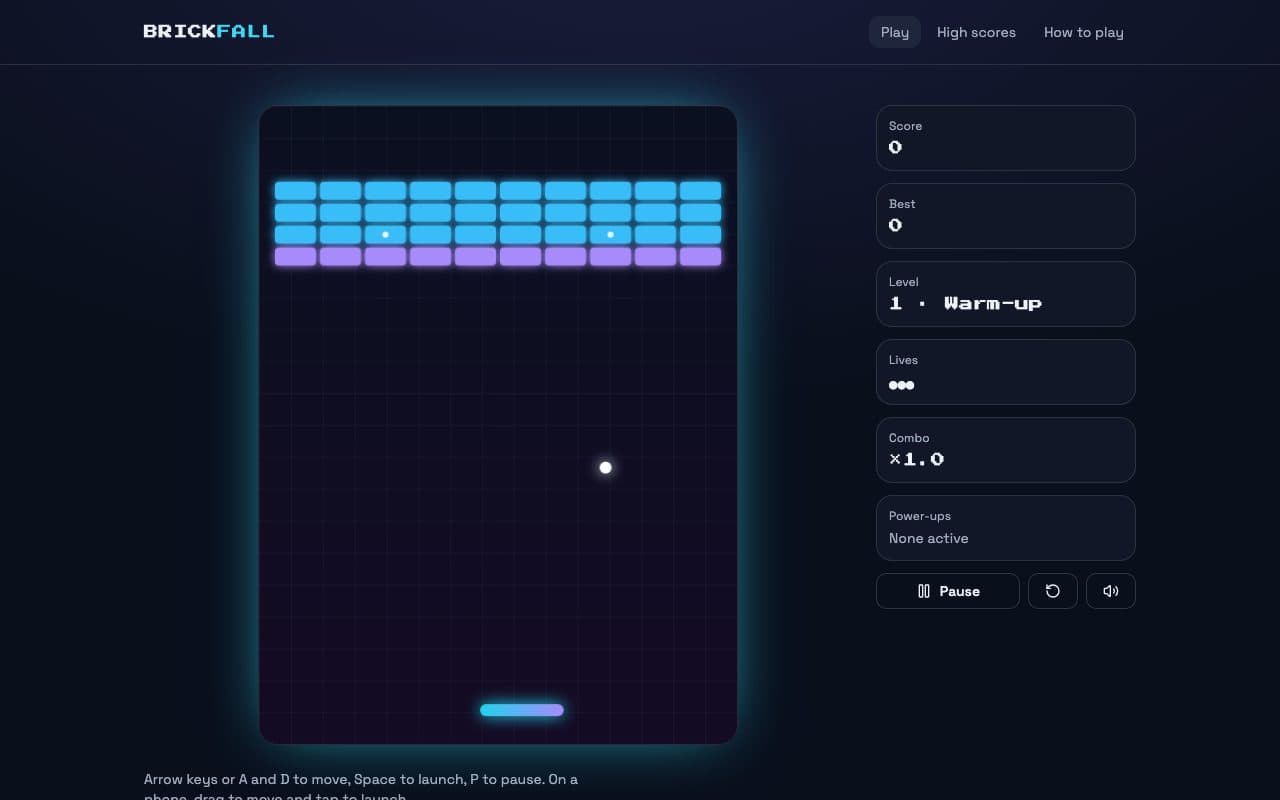
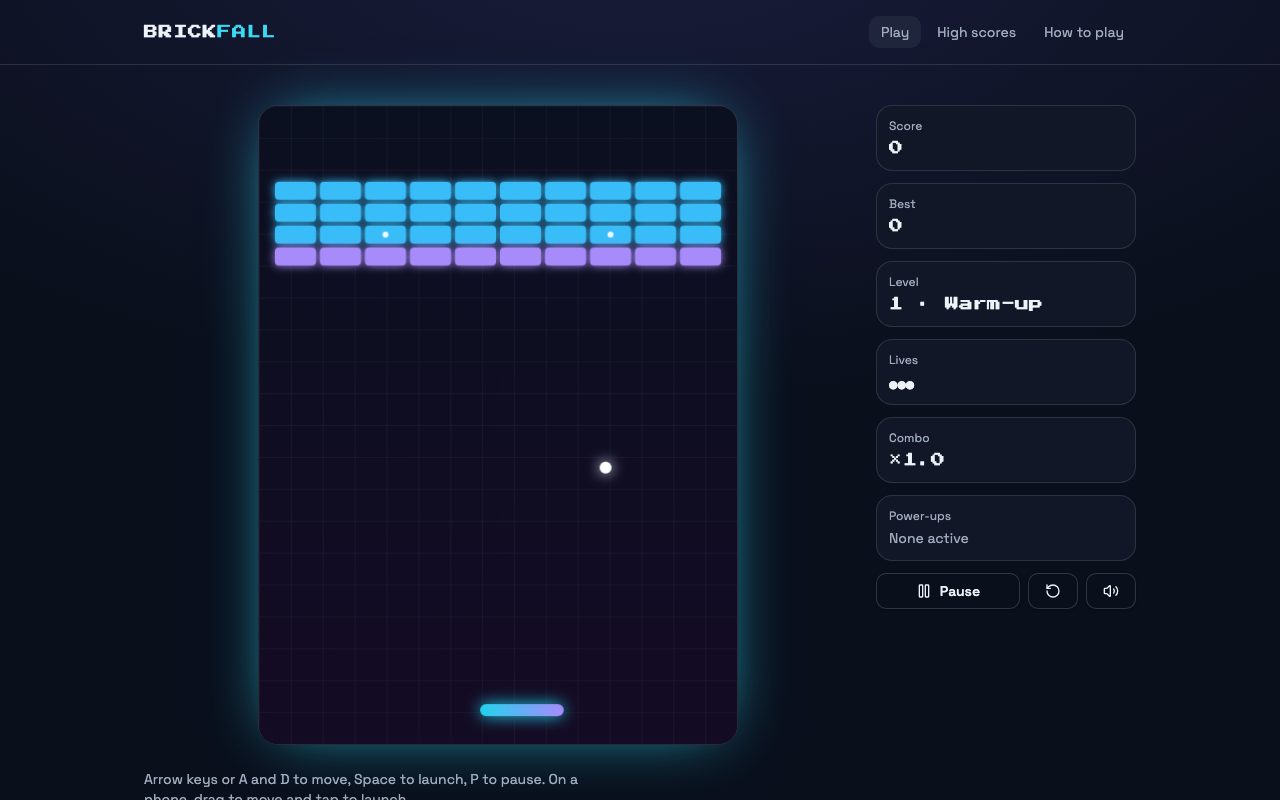
Brickfall is a complete arcade game, not a demo: break every coloured brick across six levels, from a warm-up wall to a steel-lined finale, with the ball getting a little faster on each. Steel bricks never break, marked bricks always drop a power-up, and breaking bricks without touching the paddle builds a combo worth up to three times the points.
The rules live in a small engine of pure functions that knows nothing about the screen. It steps the game 120 times a second whatever the frame rate, moves the ball in sub-steps so a fast ball can never pass through a brick, and returns what happened each step so the page can play a sound or shake the screen. The canvas renderer scales one fixed playfield to any screen, sharp on high-density displays.
It plays with the arrow keys, the mouse or a finger, pauses itself when you switch tabs, synthesises its sound effects with the Web Audio API so it ships no audio files, and switches off particles and screen shake for players who prefer reduced motion. Finish a run in the top ten and you enter your initials, arcade style. Scores and the sound setting save in the browser until you connect a backend.
Designed for
- Anyone who wants to make a browser game and start from one that already plays well
- Teachers and students learning how a game loop, collisions and scoring fit together
- Brands and events that want a playable arcade game on their own URL
- Developers who want a clean canvas game engine to build their own game on
Key highlights
- Six handcrafted levels
- Four power-ups
- Combo scoring
- Keyboard, mouse and touch
- Fixed-timestep physics
- Synthesised sound effects
- Pause and auto-pause
- Reduced-motion mode
- Saved high scores
Features & capabilities
Fixed-timestep engine
Pure TypeScript rules stepped 120 times a second, with sub-stepped collisions so a fast ball never tunnels through a brick.
Six levels in plain text
Each level is a few rows of characters: hit points, steel and guaranteed power-ups. Add one and it is in the game.
Four power-ups
Wide paddle, multi-ball, slow ball and an extra life, with on-screen timers for the ones that run out.
Combo scoring
Break bricks without touching the paddle to raise a multiplier up to ×3, plus a bonus for every life left when a level is cleared.
Keyboard, mouse and touch
Arrow keys or A and D, the mouse, or a finger on a phone. Space or a tap launches, P pauses, and switching tabs pauses for you.
Sound with no audio files
Every blip is synthesised with the Web Audio API, started on the first click or key as browsers require, with a mute toggle that is remembered.
Reduced-motion mode
Particles and screen shake switch off for players whose system asks for reduced motion, and the board has a text description.
Saved high scores
A top-ten table with arcade-style initials, saved in the browser after mount so it never mismatches the server render. Connect a backend to share it.
Best use cases
Your own browser game
Change the levels, the colours and the rules by describing what you want, and publish it to a URL anyone can play on a phone or a laptop.
A branded arcade game
Swap in your colours and logo for an event, a launch or a waiting room, and add a prize for the best score of the day.
Learning how games work
The engine is a few hundred lines of plain TypeScript with the game loop, collisions, power-ups and scoring each in one place, easy to read and change.
A base for a different game
Keep the loop, input, sound and high-score table, and replace the rules with a different arcade game.
Conclusion
A good small game is mostly feel: a paddle that answers instantly, a ball that never cheats through a brick, sound and motion that reward a hit, and a reason to play one more time. Those parts are built here, ready for your own rules.