
"MCP vs API" is one of the fastest-growing developer searches of 2026. Interest is up more than 300% in a year, as every AI assistant (Claude, ChatGPT, Cursor and the rest) has added support for the Model Context Protocol. The short answer is that they are not competitors. An API is how one program talks to a service. MCP is a standard way for an AI assistant to discover and use tools, and those tools usually call APIs underneath. This guide explains the difference, when you need each, and which MCP servers are worth knowing.
What is an API?
An API (application programming interface) is a contract a service publishes so other software can use it: endpoints, parameters, authentication and responses. The Stripe API creates charges, the GitHub API opens pull requests, and your own app's API returns your data. Each API is different, and a developer reads its docs and writes code to call it.
What is MCP?
The Model Context Protocol (MCP) is an open standard, introduced by Anthropic in November 2024, for connecting AI applications to outside tools and data through one common interface. An MCP server wraps a service and describes what it can do in a form a model understands:
- Tools: actions the model may call, such as "create issue" or "query database", each with a name, a description and a typed input schema.
- Resources: data the model may read, such as files, records or documents.
- Prompts: reusable templates the server suggests.
An MCP client, which is the AI assistant, connects, asks the server what it offers, and lets the model decide when to call each tool. MCP itself is now governed by the Agentic AI Foundation under the Linux Foundation, so no single vendor owns it.
MCP vs API: the key differences
| API | MCP | |
|---|---|---|
| Who calls it | Code a developer wrote | An AI model, deciding at run time |
| Interface | Different for every service | The same protocol for every server |
| Discovery | A human reads the docs | The client asks the server what it offers |
| Descriptions | Written for developers | Written for the model, so it can choose the right tool |
| Integration cost | One custom integration per service, per app | Build one server and every MCP client can use it |
| Auth | API keys, OAuth, whatever the service picks | Local servers use environment credentials; remote servers use OAuth |
| Transport | Usually HTTP and JSON | stdio for local servers, HTTP for remote ones, JSON-RPC messages |
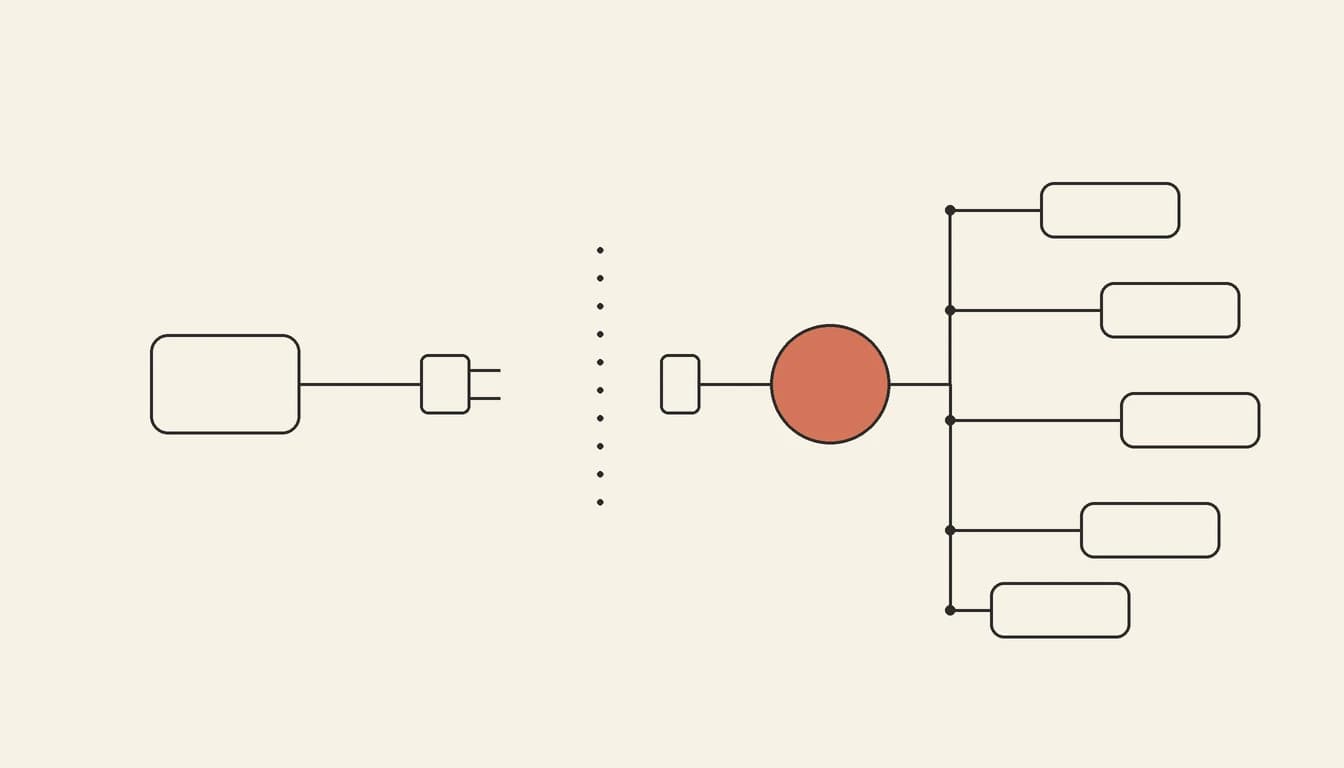
The useful mental model: MCP is to AI assistants what USB is to peripherals. Before USB, every device needed its own port and driver. Before MCP, every assistant needed a custom integration for every service: M assistants times N services. With MCP each service builds one server and each assistant builds one client.
Does MCP replace APIs?
No. Almost every MCP server is a thin layer over an existing API. The GitHub MCP server calls the GitHub API, and a Stripe MCP server calls the Stripe API. MCP adds what a model needs and an API does not provide on its own: a list of available actions, descriptions written for a model, typed inputs, and a single way to connect. You still need the API underneath, and conventional software should keep calling the API directly.
When to use an API, and when to use MCP
- Use the API directly when your own code makes the same calls every time: a checkout flow, a nightly sync, a webhook handler. That path is deterministic and cheaper, and it does not need a model.
- Use or build an MCP server when an AI assistant should decide what to do: "triage these issues", "find the customer and refund the last order", "update the app's pricing page". That is the case where discovery and model-readable descriptions pay off.
- Use both in most real products. Your app calls APIs, and an MCP server exposes a curated set of those same actions to assistants.
Local vs remote MCP servers
A local MCP server runs on your machine as a child process of the assistant and talks over stdio. It is typical for developer tools that read files or run commands. A remote MCP server runs on the internet, talks over HTTP and signs you in with OAuth, so it works from web apps like claude.ai and ChatGPT as well as from editors. Most new servers from SaaS companies in 2026 are remote, because users can connect them with a URL and a sign-in, with nothing to install.
Popular MCP servers in 2026
A starting list of widely used servers, grouped by job. Most are official servers run by the vendor. Check each vendor's docs for the current URL and setup, because these change often.
| Server | What it lets an assistant do | Type |
|---|---|---|
| GitHub | Read code, open and review pull requests, manage issues | Official, remote and local |
| Supabase | Inspect schemas, run SQL, manage projects | Official |
| Stripe | Look up customers and payments, create products and links | Official, remote |
| Notion | Search, read and write pages and databases | Official, remote |
| Linear | Create and update issues and projects | Official, remote |
| Figma | Read designs and design tokens to build matching UI | Official |
| Sentry | Pull errors and stack traces to debug | Official, remote |
| Playwright | Drive a real browser to test or scrape pages | Open source (Microsoft), local |
| Vibely | Build, edit, review and publish full-stack web and mobile apps | Official, remote |
Directories and "MCP market" sites list thousands more. Prefer official servers from the vendor whose data you are connecting. A third-party server sees everything you give it access to, so review its permissions before you connect it.
How to create an MCP server
There are two routes:
- Write one with an official SDK. The MCP SDKs (TypeScript, Python and others) let you declare tools with a name, a description and an input schema, and wire each one to the API call it wraps. Start with three to five tools that map to real tasks, write the descriptions for the model ("Use this to…"), and add OAuth before you expose it remotely.
- Generate one from your app. If you build on Vibely, the agent can add an MCP server at
/mcpto a published web app, with one tool for each action the app already does, so your users can work with your app from ChatGPT, Claude or Cursor. The guide Turn your web app into an MCP server walks through it.
Using MCP to build apps
MCP also works in the other direction. The Vibely MCP server (https://api.vibely.sh/mcp, with OAuth sign-in) lets you build, edit, review and publish Vibely apps from Claude, ChatGPT, Cursor, Claude Code, VS Code or Codex. It has 52 tools, and only three of them use credits. You describe the app in the assistant you already use, and Vibely builds and hosts it. See build a Vibely app from Claude to set it up.
Frequently asked questions
Is MCP just an API?
MCP is a protocol, a standard way of exposing APIs to AI models. An MCP server is technically an API server too, but one that follows the same rules for every service, so any MCP-compatible assistant can use it without custom code.
Why is an MCP server needed if the API already exists?
Because the model needs to know what it can do and how. An MCP server lists the available actions, describes them in language the model understands, validates inputs, and handles sign-in in one standard way. Without it, every AI app would have to hand-build an integration for every API.
Is MCP secure?
As secure as the server you connect and the permissions you grant. Prefer official remote servers with OAuth and narrow scopes, and review what each tool can change before you connect it. For apps you build yourself, see how to secure a vibe-coded app.
Are MCP servers free?
The protocol is open and free, and most official servers cost nothing beyond the underlying service. You pay for whatever the server does in that service, and for the AI assistant you use it from.
The bottom line
APIs connect software to services. MCP connects AI assistants to those APIs in one standard way. If people will use your product from ChatGPT, Claude or Cursor, an MCP server is quickly becoming as expected as a public API. Build your app on Vibely and you can give it one without writing the server yourself.