Published October 3, 2026 in Announcements·4 min read
Talk to Vibely: dictate your prompts with your voice
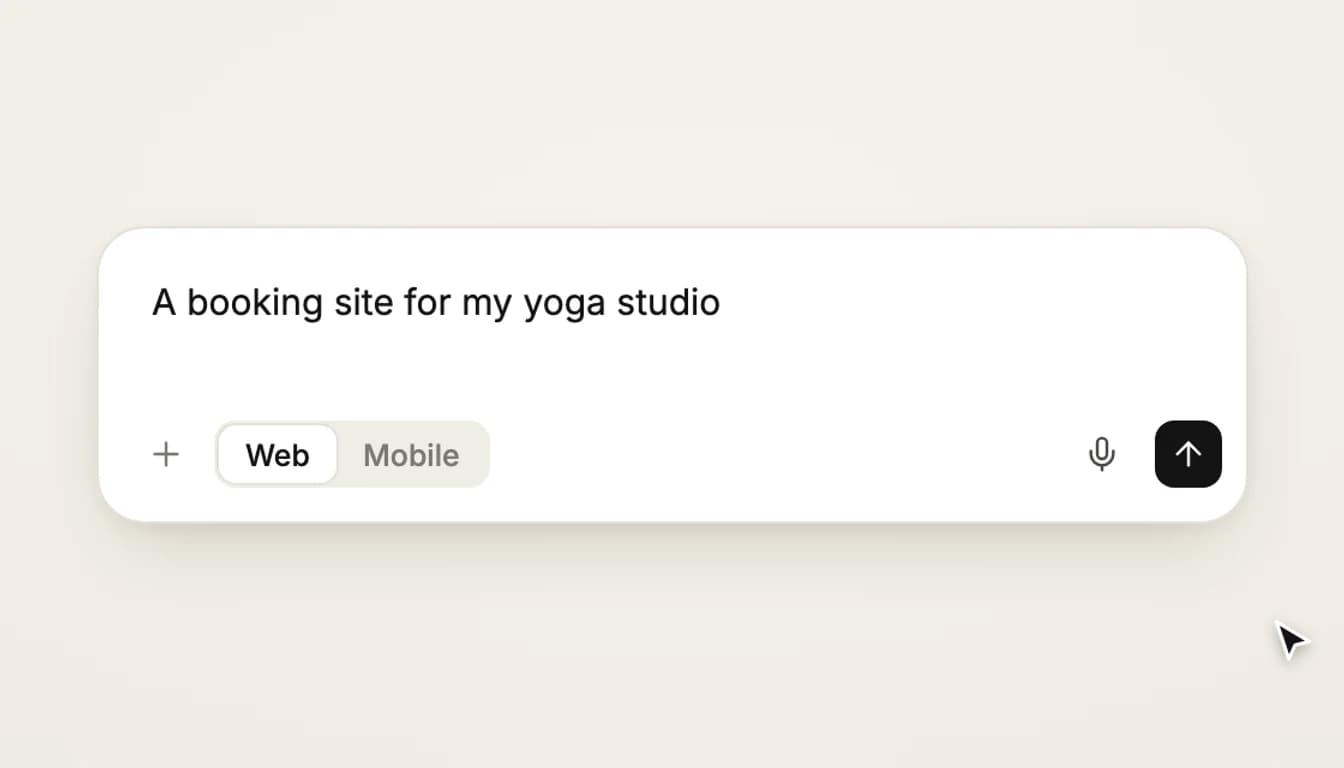
Tap the mic in the Vibely chat box, say what you want to build, and your words appear as text. Here is how it works, what it needs, and what happens to your audio.
You can now talk to Vibely. Tap the mic in the chat box, describe what you want to build, and your words appear in the box as you speak. When you are happy with them, you send the prompt exactly as you would have typed it.
How it works
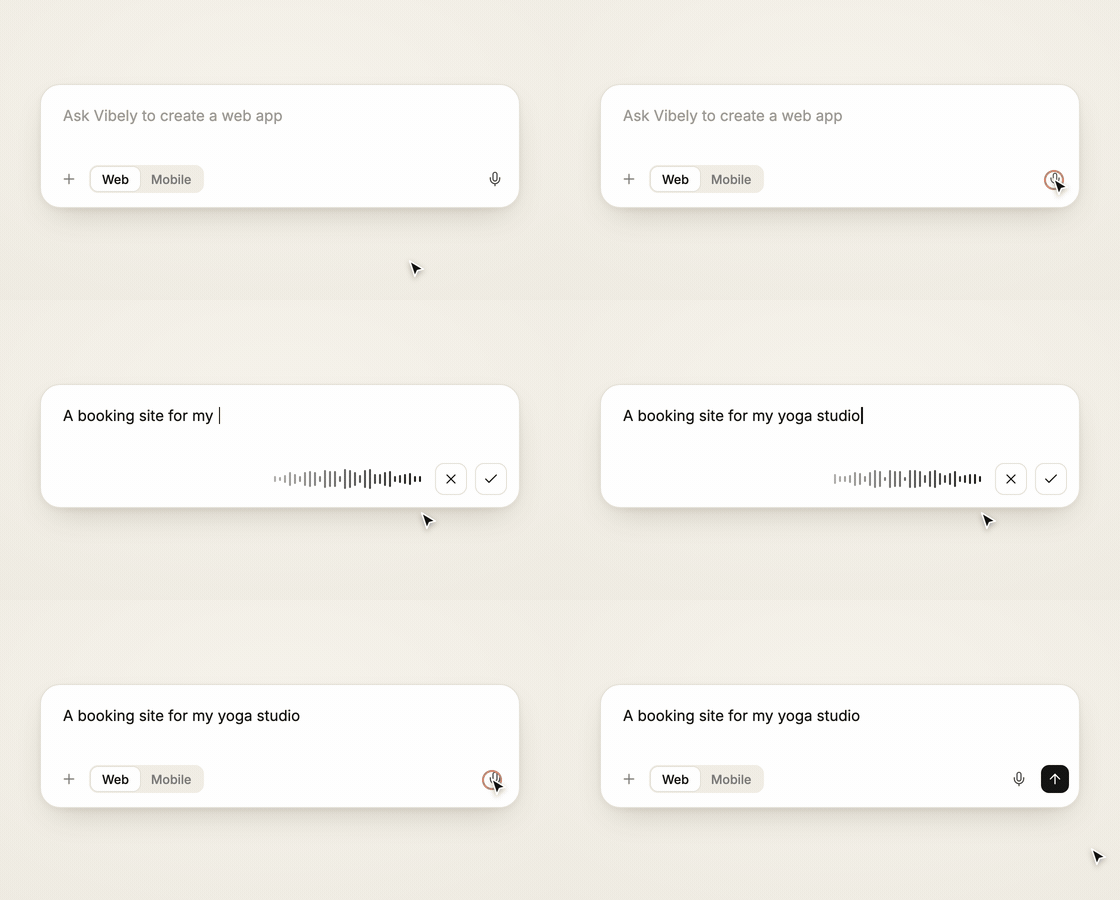
- Tap the mic. It sits next to the send button in the chat box. The first time, your browser asks whether Vibely may use the microphone.
- Say what you want. The box switches to a listening bar with a live waveform, and your words appear in the box as you say them.
- Keep it or discard it. Tap the tick to keep what you said, or the cross to throw it away and get your earlier draft back. Press Escape for the same as the cross.
Nothing is sent while you dictate. The text lands in the box like anything you type, so you can fix a word, add detail, or attach a file before you press send. If the box already has text in it, your speech is added after it.
What it is good for
Describing an app is the part of building that most resembles talking. A paragraph about who the app is for, what the main screens are, and how it should feel is quick to say and slow to type, especially on a laptop you are not sitting at properly. Dictation is a good fit for:
- The first prompt. Say the whole idea in one go, then tidy it in text.
- Long follow-ups. "Add a page for class schedules, show the next seven days, and let people book a spot" is faster to say than to type.
- Brain dumps. Speak the messy version first and let the agent turn it into a plan.
Tips for dictating a good prompt
- Say the outcome, not the implementation. "A booking site for my yoga studio" gives the agent more to work with than a list of components.
- Name the pages and the people. Who uses it, and what is the first thing they do?
- Read it back before you send. Speech recognition is good, not perfect, and brand names and unusual words are where it slips.
What you need
Voice mode uses the speech recognition built into your browser, so it works where your browser provides it: Chrome, Edge and Safari. In a browser without it, such as Firefox today, the mic is simply not shown. It listens in your browser's language.
If you have blocked the microphone for the site, Vibely tells you and the browser's site settings are where you turn it back on.
What happens to your audio
Vibely does not record or store your voice. Recognition is done by your browser, and depending on the browser it may send audio to the browser maker's speech service to be turned into text. What Vibely receives is the text you choose to send, the same as if you had typed it. If that matters for what you are building, type those prompts instead; nothing else about the product changes.
Does it cost credits?
No. Dictating costs nothing. A prompt uses credits when you send it, the same as any other prompt.
Try it
Open the Vibely chat box, tap the mic and describe the first thing you want to build.