About this template
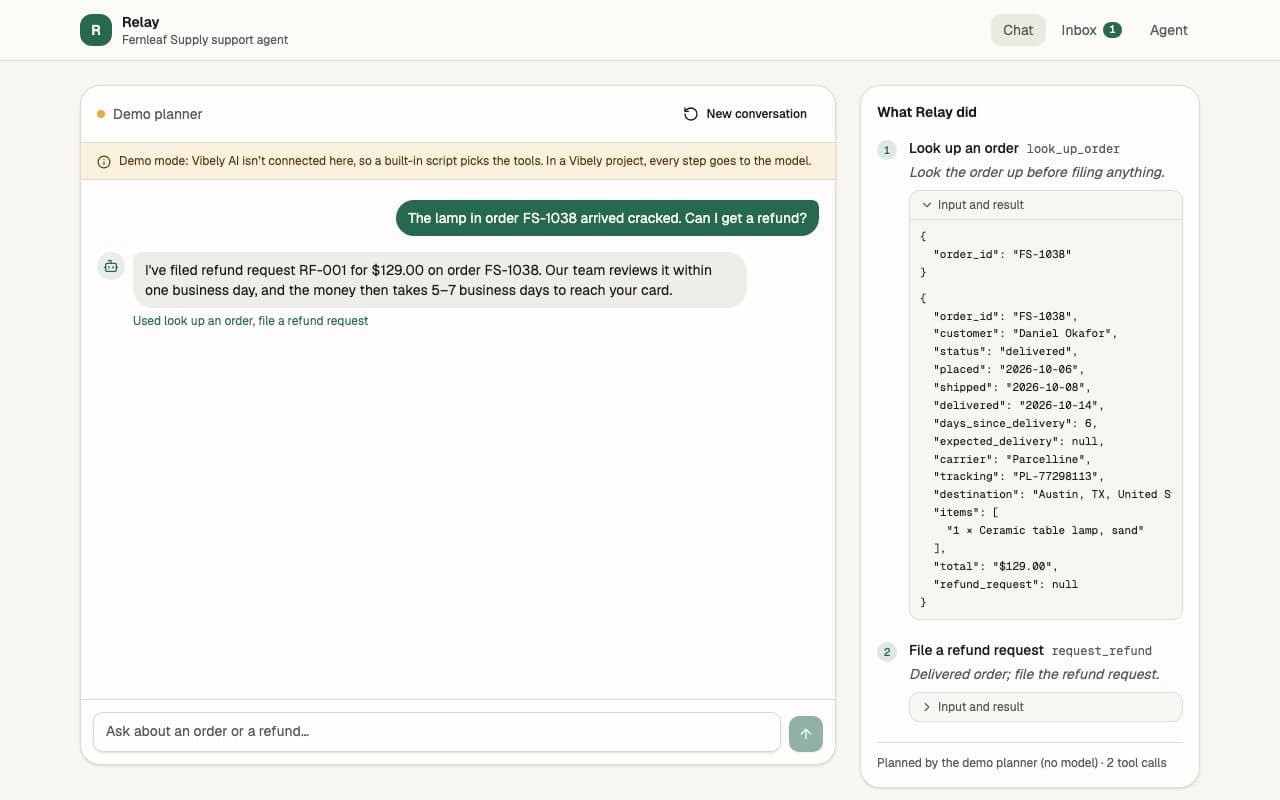
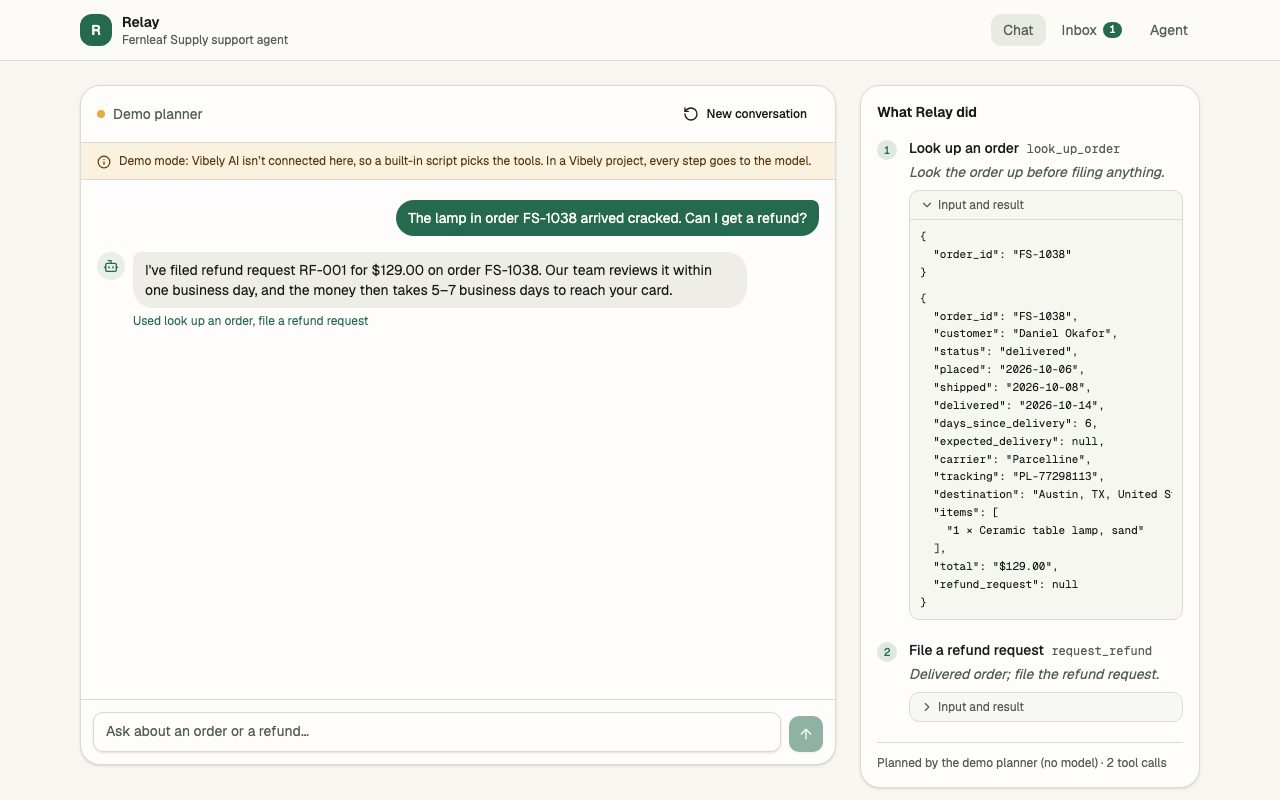
Relay is a customer support agent for a fictional home-goods shop. A customer asks where their order is, whether they can return a cracked lamp, or how long shipping to Canada takes, and the agent decides which tool to use, uses it, reads the result and decides again until it can answer. Every step shows up beside the conversation: why it chose the tool, what it sent and what came back.
It has four tools. It looks up orders, searches the help centre before it states any policy, files refund requests that check the refund window themselves, and hands a case to a person when the customer asks or nothing else fits. Tools never act on their own: they return what should change, and the app applies it, so every refund request and hand-off lands in an inbox where a person approves or resolves it.
Each step goes to a model through Vibely AI, from the app's own server. The project's key and the agent's rules stay on the server, the endpoint caps what a request may send and how often it runs, and an empty balance shows the customer a clear message rather than an error. Where Vibely AI is not set up, such as the gallery preview, a clearly labelled demo planner drives the same tools so you can try the whole loop.
Designed for
- Shops and service businesses that want an agent answering customers on their own site
- Teams that want an AI agent to take actions, not just chat, with a person approving what matters
- Founders prototyping an agent product who need the tool loop already working
- Developers who want a readable agent loop to extend with their own tools
Key highlights
- Four working tools
- Visible step-by-step trace
- Runs on Vibely AI
- No API key to manage
- Server-side prompt and key
- Refunds need a person's approval
- Hand-offs to your team
- Editable instructions and tools
- Demo planner without a model
Features & capabilities
A real tool loop
Ask the model, run the tool it picks, show it the result and ask again, up to six steps, until it can answer the customer.
Every step visible
A trace beside the chat shows why each tool was chosen, the exact input it got and the result it returned.
Order lookup
Status, items, dates, tracking and whether a refund is already open, from one data module you can point at real orders.
Help centre search
The agent checks your articles before it states a policy, and offers a person instead of guessing when nothing matches.
Refunds a person approves
The refund tool checks the order and the refund window, then files a request in the inbox. Nothing is paid until someone approves it.
Hand-offs to your team
When a customer asks for a person, or the agent cannot help, it opens a ticket with a summary and a priority.
Key and rules stay on the server
Model calls run in a server function with the project's Vibely AI key. Requests are size-capped and rate-limited, and errors reach the customer as plain messages.
Settings without code
Add instructions, switch tools on and off, change the refund window, or try the tools with the demo planner and no model.
Best use cases
Support for your shop
Point the tools at your real orders and help articles and the agent answers customers on your site, around the clock, with refunds still approved by a person.
An agent for any process
Swap the four tools for your own: book an appointment, check stock, qualify a lead, update a record. The loop, the trace and the inbox stay the same.
An internal helper
Give the agent tools over your team's data and it answers colleagues' questions and files requests into the same approve-or-decline inbox.
Learning how agents work
The loop is a short, readable file: ask the model, run the tool it picks, show it the result, repeat. The trace shows exactly what happened at each step.
Conclusion
An agent is only as trustworthy as what you can see it doing. This one shows every step, keeps its key and rules on the server, files actions for a person to approve, and says so when it cannot help, ready for your own tools.