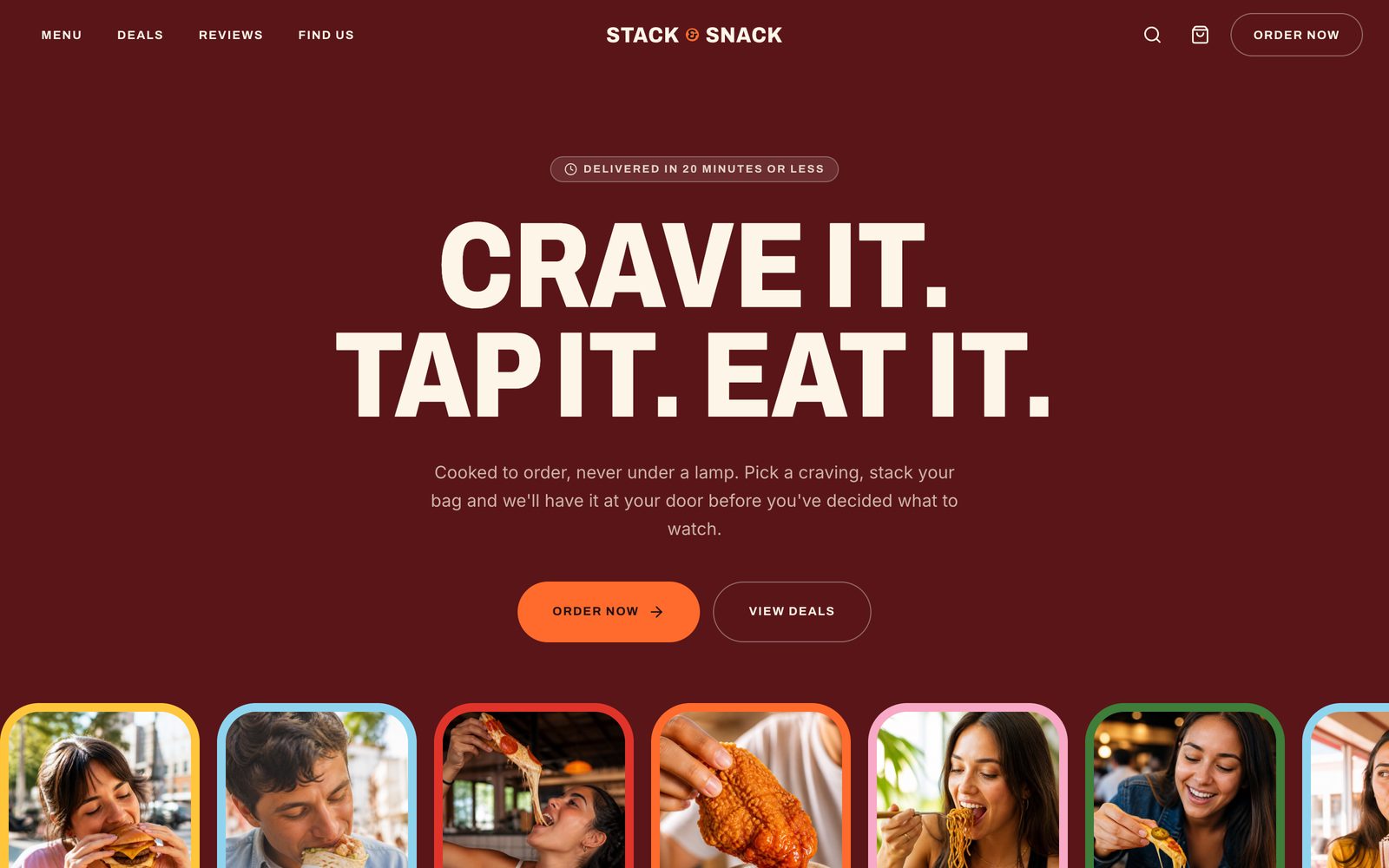
Fast Food Ordering Site
Bold fast-food storefront — category rail, filterable menu, item customiser, bundle deals and a full delivery or pickup checkout
Vibely
Creates your own copy. Free to start.
Designed for
- Restaurants and takeaways taking orders without a delivery platform's cut
- Multi-location chains that need one menu and several addresses
- Ghost kitchens launching a brand quickly
- Developers who need per-item options priced correctly
Key highlights
About this template
A bold fast-food storefront that takes a real order: browse the menu, customise an item, add it to the bag, and check out for delivery or collection.
The pricing is where a food ordering site is won or lost. Every item has a base price, a size that adds or subtracts, and extras that each add their own — and all of it is computed in whole cents. Doing it in floating-point dollars is how a bag of six items ends up a penny short of its own total.
Checkout changes shape with the fulfilment method. Choosing delivery asks for an address and validates it; choosing collection asks which location and when instead. The same form, different required fields, rather than one form with half of it greyed out.
Best use cases
Restaurant or takeaway ordering
A full menu with options and a checkout, at your own URL, without a marketplace taking a percentage.
Multi-location chain
One menu, several locations, with the store locator and collection flow already wired to them.
Ghost kitchen brand
Launch a delivery-only brand with a storefront that looks like a restaurant rather than a listing.
Any configurable product
The size-and-extras pricing model fits anything sold with options, food or not.
Getting started
Step 1: Remix this template
Click Use template. Vibely copies the full source into a new project, boots a sandbox and brings the preview up — you are looking at a running app, not a static mockup, before you have typed anything.
Step 2: Describe your first change
Tell the chat what you want in plain language. It reads the project the same way you would, edits the files and shows you the result in the preview. You can also open the code and edit it directly at any point.
Step 3: Put your menu in
Categories, items, sizes, extras, deals and locations are all in src/lib/menu.ts. Replace the seed data and all seven pages follow.
Step 4: Rebrand it
The colours are named condiment tokens in src/styles.css. Change them once and the whole storefront changes, including the deal cards.
Step 5: Add your photography
Ask the chat to generate item imagery, or upload your own. Every item reads its image from the same data module.
Step 6: Take real orders
The checkout collects and totals an order correctly. Connect Stripe for payment and Supabase to store orders and it is live.
Publish when it looks right
Publish gives the project a live URL. Connect a custom domain in project settings, or export the whole codebase to GitHub and deploy it yourself — nothing here is locked in.
Conclusion
Ordering food is a short journey with a lot of edge cases hiding in it — options that change the price, a checkout that changes shape, a bag that has to survive a closed tab. Those are the parts already built here.
Features & capabilities
Category rail
A snap-scrolling rail across the menu categories, built natively rather than pulling in a carousel library.
Filterable menu
Narrow the menu by category and dietary needs, with the selection reflected in the URL.
Item customiser
Pick a size and add extras on a dedicated item page, with the price updating as you go.
Pricing in whole cents
Base price, size delta and every extra are added as integers, so totals never drift by a penny.
Bundle deals
Combos priced as a unit, presented so the saving against buying separately is visible.
Bag that survives a refresh
Contents persist to localStorage and restore after mount, guarded against overwriting a real order.
Delivery or collection
Checkout asks for an address or a store and a time depending on which is chosen, and validates only what applies.
Store locator
Locations with hours and addresses, wired to the collection option at checkout.
Reviews
A reviews page with a validated submission form and rating input.