About this template
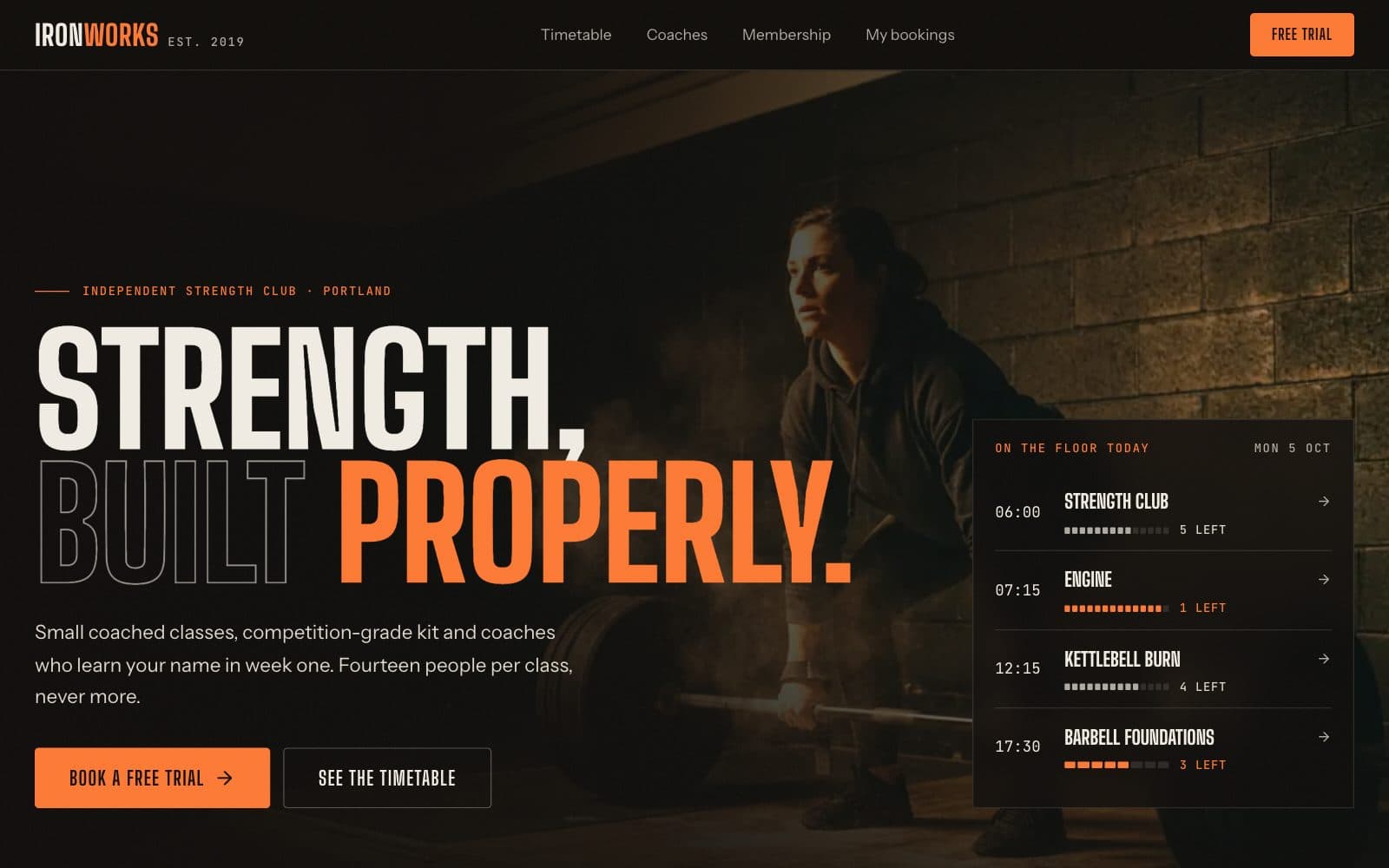
A website for an independent strength club that does the job a gym site actually has: show this week's classes, make it obvious which still have room, and turn a visitor into a booked free trial. Six routes — home, timetable, class detail, coaches, membership and trial — all running off one data module.
The timetable is built from a weekly slot list expanded into dated sessions for the current week, each with a capacity and seeded bookings. Filtering by class type and level lives in the URL, so a filtered view can be shared or bookmarked; desktop shows the whole week as seven columns, and phones get a day strip with a list rather than a squeezed table. Spots left combine the seed data with any trial booked from the browser, so booking a class visibly takes a seat and full sessions refuse new bookings. The week is pinned to a fixed date so server and browser render identical numbers.
The trial flow is a three-step booking: pick a session, fill in a form validated with react-hook-form and zod (with inline errors, a one-trial-per-email rule and a safety confirmation), then a confirmation screen. Bookings are stored in the browser through a provider with a hydrated flag until a backend is connected, and a My bookings list lets visitors cancel. Membership prices are whole cents, and the annual toggle computes the billed total, effective monthly price and saving from integers.
Designed for
- Independent gyms and strength clubs replacing a dated site or a booking-app listing
- Boutique fitness, boxing and yoga studios that run a weekly class timetable
- Personal trainers and coaching teams who want a trial-class funnel
- Developers building a schedule-and-booking site for a fitness client
Key highlights
- Weekly timetable
- Type and level filters
- Spots left per session
- Class detail pages
- Coach profiles
- Monthly or annual pricing
- Plan comparison table
- Free-trial booking
- My bookings with cancel
Features & capabilities
Weekly timetable
The whole week at a glance on desktop, and a day strip with a readable list on phones.
Filters in the URL
Filter by class type and level; the selection is kept in search params, so filtered views can be shared.
Spots left
Each session shows remaining capacity as a segmented meter, highlights the last few spots and blocks bookings when full.
Class and coach pages
Class detail with session structure, intensity and upcoming times; coach profiles with specialties and certifications.
Monthly or annual pricing
Plan prices are whole cents, and the annual toggle computes the billed total, monthly equivalent and saving from integers.
Validated trial booking
A three-step flow with react-hook-form and zod: inline errors, one trial per email and a safety confirmation.
Bookings saved in the browser
Stored in localStorage through a provider with a hydrated flag until a backend is connected, with a My bookings list and cancel.
Designed for phones
Every route is laid out for a 390px screen, not just shrunk — including the timetable and the booking form.
Best use cases
Independent gym or strength club
A site with your real timetable and a trial-class funnel, at your own URL, without paying a booking marketplace per lead.
Boutique class studio
Boxing, cycling, yoga or HIIT — swap the class types and the timetable, filters and class pages follow.
Coaching business
Lead with the coaches page and the Coached plan to sell personal programming alongside group classes.
Any scheduled-session business
Dance schools, climbing walls or swim lessons: anything with weekly sessions, capacities and a first-visit offer fits the same model.
Conclusion
A gym website lives or dies on its timetable and its first-class offer. The filtering, the spots-left logic, the trial booking with validation and the pricing maths are the parts already built here, so you can spend your time on your classes and your brand.
Read the use case: a gym check-in appHow templates and remix work